ServiceNow Customer Workflows Implementation for Connected Case, Field, and Self-Service
Mirketa's ServiceNow Customer Workflows Implementation connects Customer Service Management, Field Service Management, and self-service into one system of record, so agents see the full customer history, technicians arrive prepared, and customers stop repeating themselves across channels.
- Certified CSM & FSM Consultants
- Case Swarming & Virtual Agent Ready
- Faster Case Resolution Post Go-Live
- 24×7 Managed Support Available
Customer Service Operations
LIVE- Resolved
VIP case: enterprise account escalation
- En Route
Field technician dispatch: HVAC repair
- Deflected
Billing inquiry: self-service deflection
Trusted by Customer Service Leaders


Overview
What ServiceNow Customer Workflows Implementation Means in Practice
Most support organizations run customer service and field service as two separate worlds. A case opened by phone doesn't know about the technician already on-site for the same account. A field dispatch doesn't know the customer called twice last week about the identical issue. ServiceNow Customer Workflows Implementation closes that gap by putting Customer Service Management (CSM) and Field Service Management (FSM) on one platform, sharing one data model, one case record, and one view of the customer.
In practice, this means a case raised through email, chat, phone, or a self-service portal lands in the same queue with the same context: account history, entitlements, prior interactions, and any open work orders. If the issue requires a technician, FSM dispatches from the same case, carrying parts data, skills requirements, and customer history straight to the mobile app the technician uses in the field. Nothing gets re-typed, re-explained, or lost in a handoff between systems.
Mirketa configures this connected model around your existing service structure - your entitlements, your SLAs, your dispatch rules - rather than forcing a generic template onto how your teams actually work. The result is a single connected system of action across Customer Workflows, not a patchwork of point tools bridged by manual data entry.
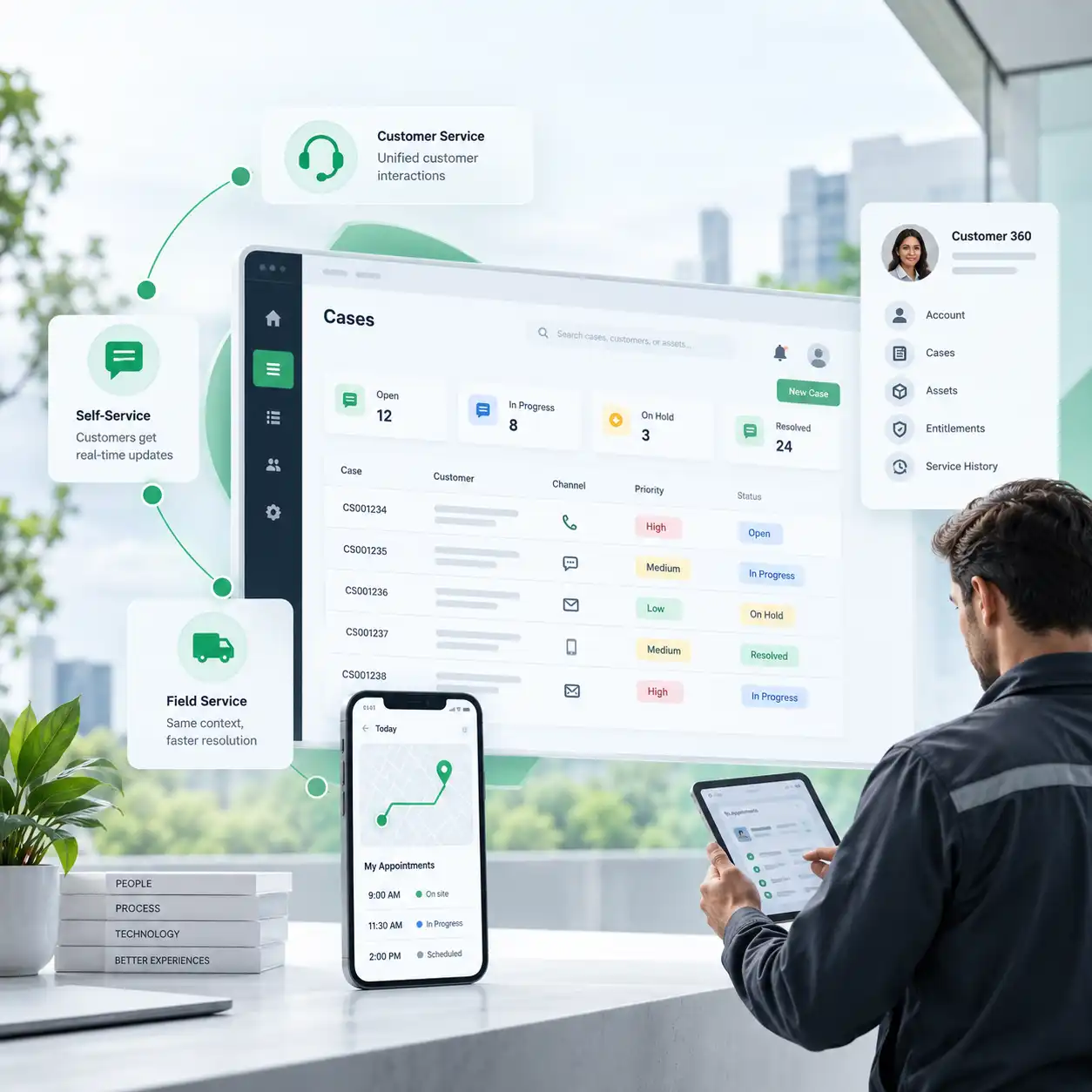
One Case, Three Channels
- Support agent sees full case & account history
- Field technician dispatched with the same context
- Customer tracks status from the self-service portal
Challenges
Why Customer Service Breaks Down Without Connected Workflows
These are the four problems we see most often before a ServiceNow Customer Workflows Implementation, familiar to any team running case handling and field dispatch as separate, disconnected functions.
Case Data Scattered Across Email, Phone, and Chat
A customer's history lives in three inboxes and a phone log, not one record. Every agent who picks up the case starts from zero, asking the customer to repeat what they already explained.
Field Technicians Dispatched Blind
Technicians show up without visibility into which parts are needed, what was tried before, or the customer's service history, leading to repeat visits and wasted truck rolls.
Slow Resolution Because Agents Can't See the Full Picture
Without a shared case model, agents escalate issues they could resolve themselves simply because the account history, entitlements, or prior tickets aren't visible from where they sit.
No Self-Service Portal, So Every Question Becomes a Ticket
Customers can't check order status, track a case, or find an answer on their own, so routine questions consume the same queue as genuinely complex issues.
Solutions
How Mirketa Configures ServiceNow to Fix Each Problem
Each challenge above maps to a specific configuration decision inside a ServiceNow Customer Workflows Implementation, not a generic module activation.
One Unified Case Record Across Every Channel
Email, phone, chat, and portal submissions all create or update the same case record, so agents work from one continuous history instead of piecing it together manually.
Field Service Dispatch Tied to the Case
Work orders inherit the case's full context - parts availability, skills needed, customer history - and sync back to the case automatically as technicians update status in the field.
Case Swarming for Complex Issues
Instead of escalating up a tier ladder, the right specialists are pulled into a real-time swarm on the case itself, cutting resolution time on issues that don't fit a standard script.
A Branded Self-Service Portal With Knowledge and Virtual Agent
Customers check case status, browse a curated knowledge base, and get instant answers from a Virtual Agent before a case is ever created, deflecting the questions that never needed a human.
Core Capabilities
The ServiceNow Modules Behind a Connected Customer Workflow
A ServiceNow Customer Workflows Implementation is built from a specific set of Now Platform applications, each configured to work off the same case and customer data model.
Customer Service Management (CSM)
The system of record for every case, account, and contact, with SLA-driven queues, entitlement checks, and configurable case workflows that route by product, severity, or customer tier instead of a flat first-in-first-out queue.
- Unified case, account, and contact model
- SLA and entitlement-aware routing
- Agent workspace with full interaction history

Field Service Management (FSM)
Work order management, technician scheduling, and mobile dispatch connected directly to the case that created them, so a technician's mobile app shows the same customer context the agent saw when they opened the ticket.
- Skills- and parts-aware scheduling
- Mobile app with offline-capable work orders
- Real-time sync back to the originating case

Customer Service Portal & Self-Service
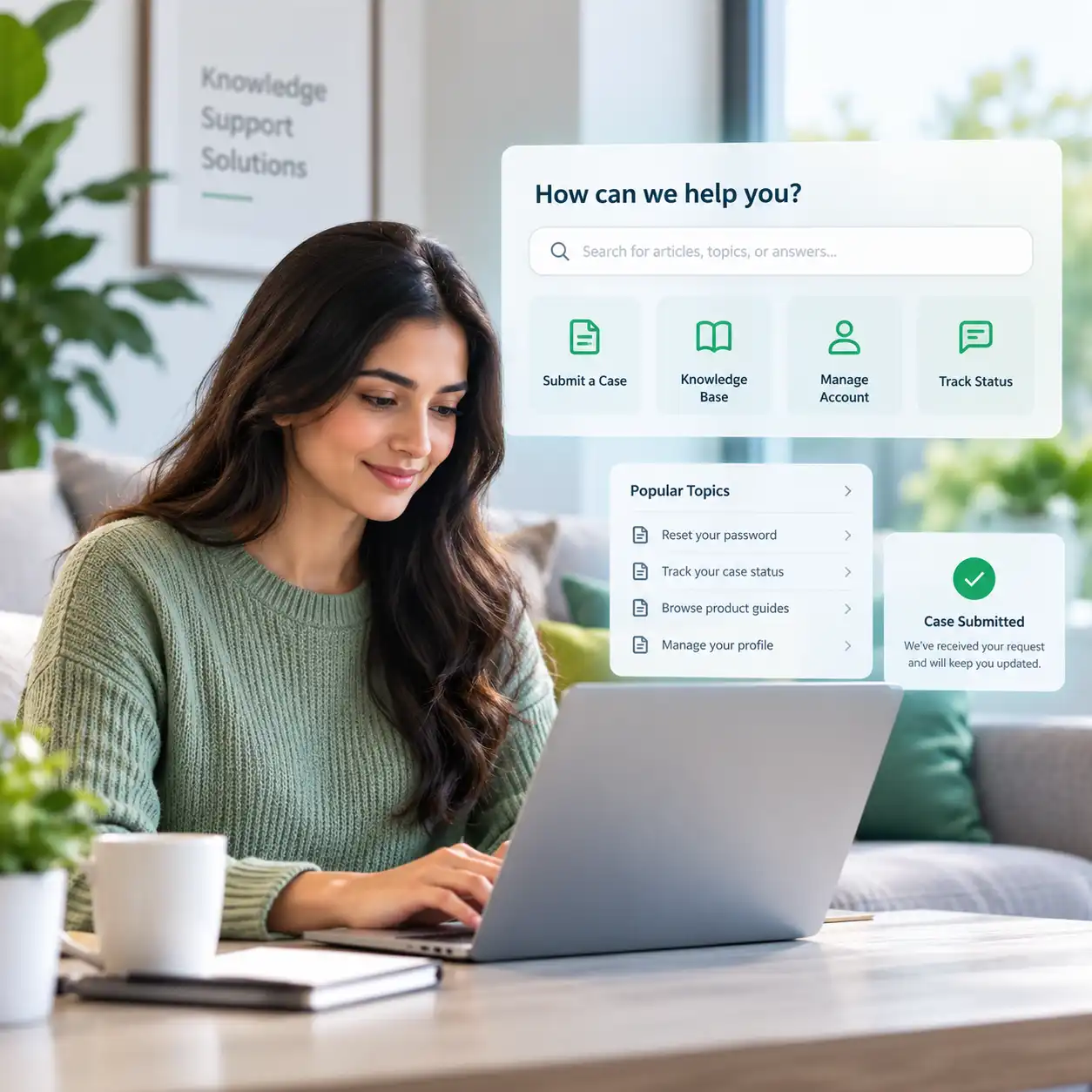
A branded portal where customers submit and track cases, browse a curated knowledge base, and manage account details, deflecting routine questions before they ever consume an agent's queue.
- Case submission and live status tracking
- Searchable knowledge base tied to case categories
- Configurable to your brand and account structure
Case Swarming for Complex Issues
For cases that don't resolve on a script, swarming pulls the right subject-matter experts into a live collaboration space attached to the case itself, replacing slow tier-to-tier escalation with real-time teamwork.
- Real-time expert collaboration on a single case
- Full audit trail of who contributed what
- Shorter time-to-resolution on non-standard issues

Proactive Customer Service Operations
Connected to monitoring and IoT signals, Proactive Customer Service Operations opens a case and notifies the customer before they notice a problem, turning support from reactive to preventive.
- Automated case creation from monitored events
- Proactive customer notification workflows
- Fewer inbound cases for known, recurring issues

Virtual Agent & Conversational Support
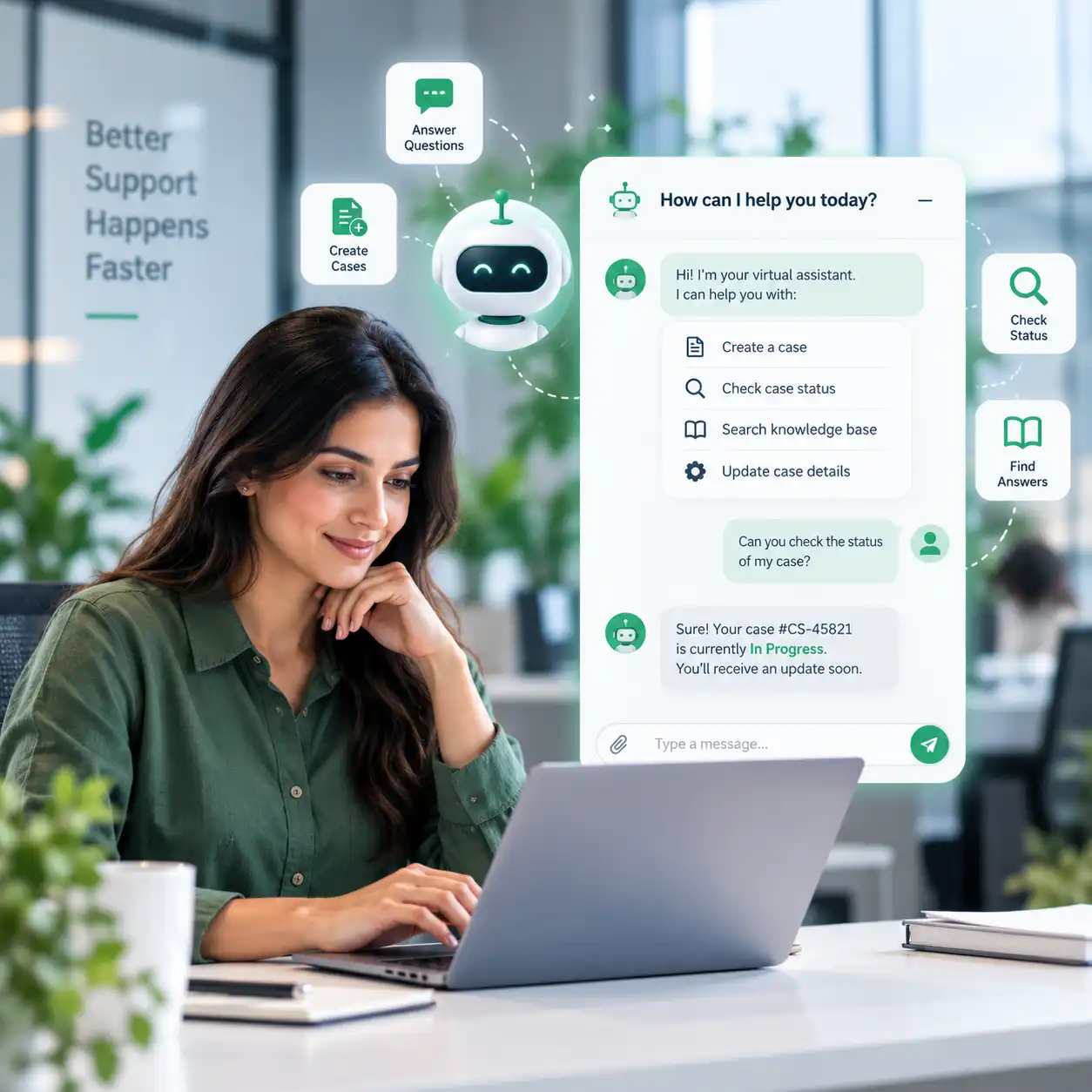
A configurable conversational assistant answers common questions, checks case status, and can create or update a case directly from a chat conversation, available across web, portal, and messaging channels.
- Natural-language case creation and lookup
- Configurable topics tied to your knowledge base
- Seamless handoff to a live agent when needed
Benefits
What a Connected Customer Workflow Delivers
These are the outcomes clients report after moving CSM, FSM, and self-service onto one connected ServiceNow instance.
Faster Case Resolution
Agents see full account and case history immediately, cutting the time spent gathering context before they can act.
Fewer Repeat Field Visits
Technicians arrive with the right parts and full case context, reducing truck rolls caused by incomplete information.
Higher Self-Service Deflection
A working portal and Virtual Agent resolve routine questions before they ever become a ticket in the queue.
One Customer History, Not Three
Email, phone, chat, and field data all update the same case record instead of living in disconnected systems.
Faster Resolution on Complex Issues
Case swarming brings the right experts together in real time instead of routing through sequential escalation tiers.
Fewer Surprises for Customers
Proactive Customer Service Operations opens and resolves known issues before the customer has to report them.
Implementation Process
A Six-Stage Path to ServiceNow Customer Workflows Implementation
Every ServiceNow Customer Workflows Implementation Mirketa delivers follows the same structured methodology, refined across CSM and Field Service Management engagements in regulated and high-volume support environments.
Discovery
We map your current case flows, channels, field dispatch process, and escalation paths, identifying exactly where customer data breaks between systems today.
Case Model Design
We design the unified case, account, and entitlement data model that CSM and FSM will both read from, along with SLA definitions and routing rules matched to your service tiers.
Configuration: The Core of ServiceNow Customer Workflows Implementation
Case forms, queues, work order templates, dispatch rules, swarming groups, and Virtual Agent topics are configured against the design. This is where the majority of implementation effort lives.
Portal & Self-Service Build
The Customer Service Portal is branded, structured, and connected to your knowledge base, so case submission, status tracking, and self-service deflection are live before go-live day.
Integration
CSM and FSM are connected to your CRM, ERP, inventory, and communication systems, so case, account, and parts data flow without manual re-entry on either side.
Go-Live & Hypercare
A supported cutover is followed by an elevated hypercare period, with our team monitoring case volume, dispatch accuracy, and portal adoption to resolve issues before they compound.
Industry Expertise
Customer and Field Service Workflows Across Complex Industries
CSM and FSM configurations differ meaningfully by industry. Our delivery teams bring domain context, not a one-size-fits-all template.
Financial Services
Entitlement-aware case handling for regulated account and dispute workflows.
Healthcare
Case and field service workflows built around compliance and patient-adjacent equipment support.
Manufacturing
Field service dispatch tied to installed-base equipment history and parts inventory.
Retail & Consumer Goods
High-volume case deflection through self-service and Virtual Agent for order and return questions.
Technology & SaaS
Tiered support and case swarming for technical issues that cross product and engineering boundaries.
Public Sector
Citizen-facing case and self-service workflows built to accessibility and compliance standards.
Why Mirketa
A ServiceNow Partner Fluent in Customer and Field Service Operations
Activating CSM and FSM modules is easy. Configuring them around how your agents and technicians actually work is where engagements succeed or stall.
Certified CSM & FSM Consultants
Every consultant on a Customer Workflows engagement holds active ServiceNow certifications in CSM and Field Service Management.
Case-First Design Philosophy
We design the case and account model first, then configure CSM, FSM, and the portal to read from it, not the other way around.
AI-Ready From Day One
Virtual Agent, predictive intelligence, and case classification are built into the instance from the start, not bolted on later.
Post Go-Live Support
A dedicated managed services team keeps case routing, dispatch rules, and the portal healthy long after launch.
Technology Stack
The Now Platform Applications We Configure
A ServiceNow Customer Workflows Implementation draws on this specific set of applications, each mapped to a role in the connected case model.
FAQ
Frequently Asked Questions About ServiceNow Customer Workflows Implementation
ServiceNow Customer Workflows Implementation is the process of configuring Customer Service Management (CSM) and Field Service Management (FSM) on the Now Platform to share one case and customer data model, so support agents, field technicians, and self-service channels all work from the same connected history instead of disconnected systems.
CSM manages the customer case: intake, routing, SLAs, and resolution. FSM manages the physical work that a case sometimes requires: technician scheduling, dispatch, parts, and mobile work orders. In a connected implementation, FSM work orders are created from and synced back to the CSM case automatically.
A focused CSM-only implementation typically takes 8–12 weeks. Adding Field Service Management, a full self-service portal, and case swarming extends a typical engagement to 4–7 months, depending on integration complexity and the number of service tiers involved.
Case swarming pulls the right subject-matter experts into real-time collaboration on a single complex case, rather than escalating it sequentially through support tiers. It's most valuable for issues that cross product lines, require multiple specialists, or don't fit a documented resolution script.
Yes. A branded Customer Service Portal with case submission, status tracking, and a searchable knowledge base is a standard part of our ServiceNow Customer Workflows Implementation scope, and can include Virtual Agent for conversational self-service.
Virtual Agent answers common questions, checks case status, and can create or update a case directly from a conversation - on the portal, web, or messaging channels - before a live agent is ever involved, deflecting routine volume from the case queue.
Yes. We integrate CSM and FSM with Salesforce, Oracle, SAP, and other CRM and ERP systems using Integration Hub and REST APIs, so account, order, and parts data flow into the case record without manual re-entry.
Yes. Every implementation can transition into an ongoing managed services engagement covering case routing tuning, dispatch rule updates, portal enhancements, and SLA-backed support with a dedicated team.
Start Your ServiceNow Customer Workflows Implementation Today
Partner with Mirketa's certified CSM and Field Service Management consultants to connect case handling, field dispatch, and self-service into one system, or speak with a ServiceNow expert before you commit to a scope.
Get Started
Schedule a Consultation
Tell us about your CSM or Field Service Management goals. A certified consultant will follow up within one business day.
- A specialist follows up within one business day
- A no-obligation conversation about your specific goals
- Answers from someone who actually works in this space
- Your information stays confidential