
Agentic AI Security: Tool Poisoning and Audit Trails
Explore agentic AI security risks, including MCP tool poisoning, and learn how governance, permissions, approvals, and audit trails reduce exposure.
In Salesforce, the Account team is a group/team of users working together on an account, making tracking of collaboration on account easier. Suppose there is a team of people working on an Application says ‘ProjectBuilder’. This team contains developers, team lead, project manager, delivery manager, Sales Manager, Executive Sponsor. Now each of the team members has a role to play. The developer is responsible for developing the application, the team lead is responsible for managing the developer, the project manager is responsible for planning and monitoring of the project., and the delivery manager is responsible for the timely and accurate delivery of the application, the sales manager is responsible to reach the established sales target and the executive sponsor is responsible to project aligned with organization’s strategy. Now the account is ProjectBuilder and developer, team lead, project manager, delivery manager. Sales Manager and Executive Sponsor are the users. To track the progress of the team of users both the internal and the partner users, the Account Team concept is used.
Using Account team, we can grant access to account and their related contacts, cases, and opportunities. Account team is good to use in private sharing model where users cannot see/edit other accounts. We can include any set of roles in account team and can assign a user to every role who will then be part of the account team and will be responsible for the account. We can use a member of the Account Team to:
To Enable Account Teams
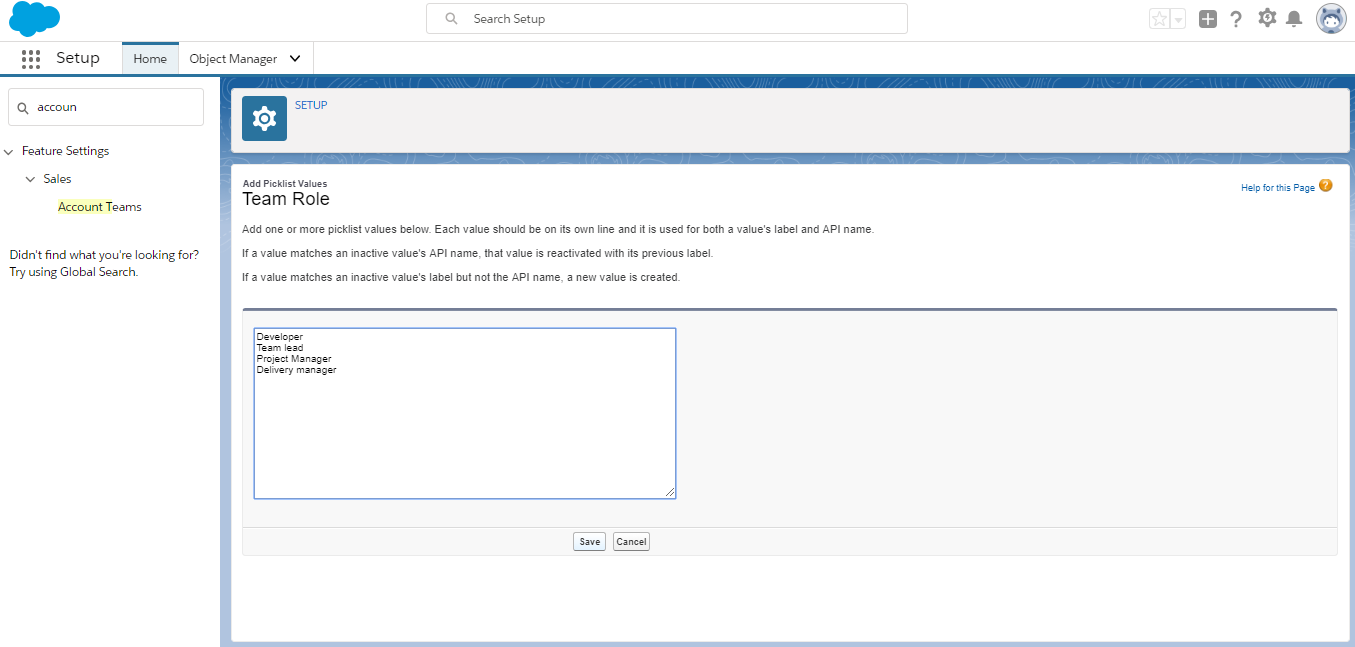
To Setup roles for Account Team
Click on Team Roles and click New to add new team roles
To assign the user to roles
Points to Remember
Get Started
Share a few details about your goals: a Mirketa consultant will follow up within one business day.
 Certified Partner
 SOC 2 Certified
 HIPAA Ready
 Enterprise Ready