Agentic AI Security: Tool Poisoning and Audit Trails
Explore agentic AI security risks, including MCP tool poisoning, and learn how governance, permissions, approvals, and audit trails reduce exposure.
The decision to migrate Nonprofit Success Pack (NPSP) to Nonprofit Cloud is a strategic step that will help nonprofits take advantage of the opportunities offered by a modern data model, improved scalability, and new functionality, such as AI and real-time insights.
This guide is practical in nature and it addresses the migration strategy, the issues and best practices.
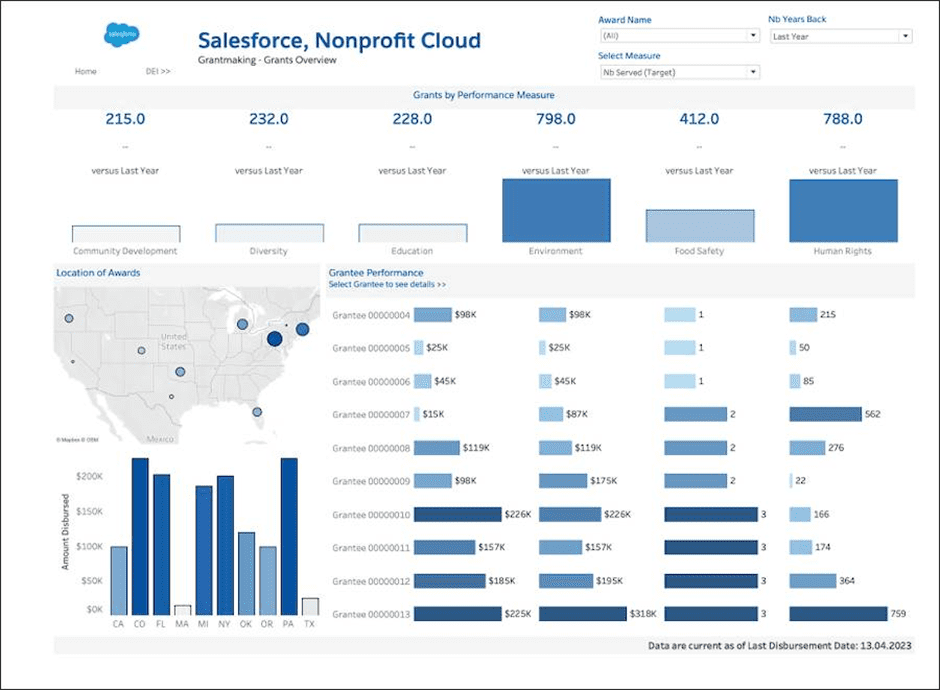
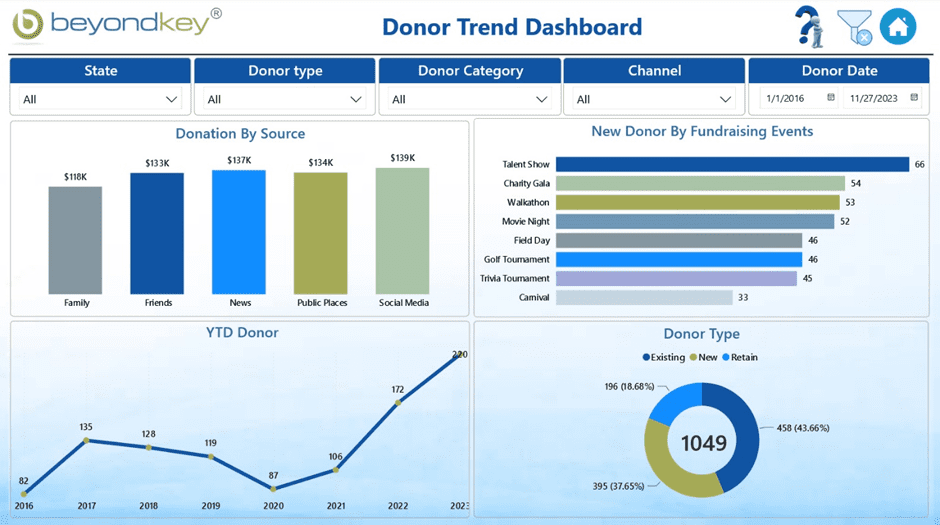
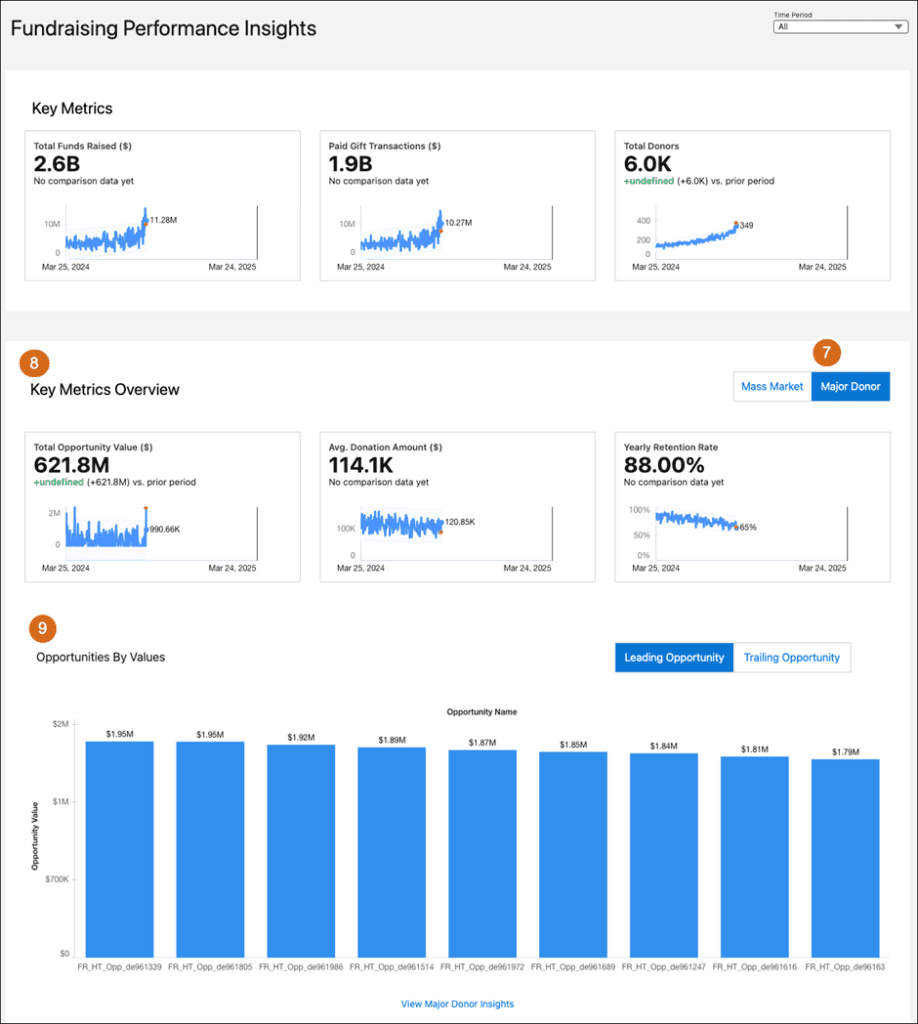
Unlike NPSP, Nonprofit Cloud is built on Salesforce's latest industry architecture, offering:
Start by understanding your current NPSP implementation:
Outcome: A well-defined migration roadmap and scope.
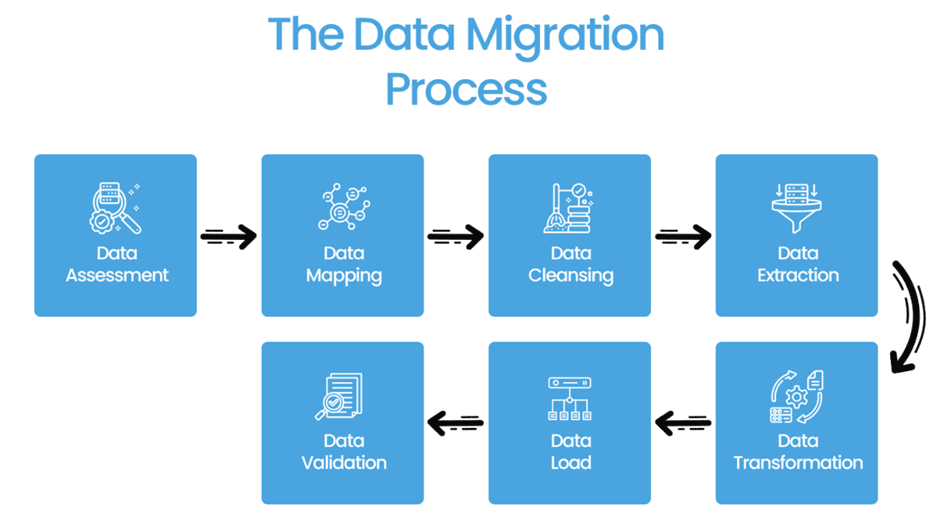
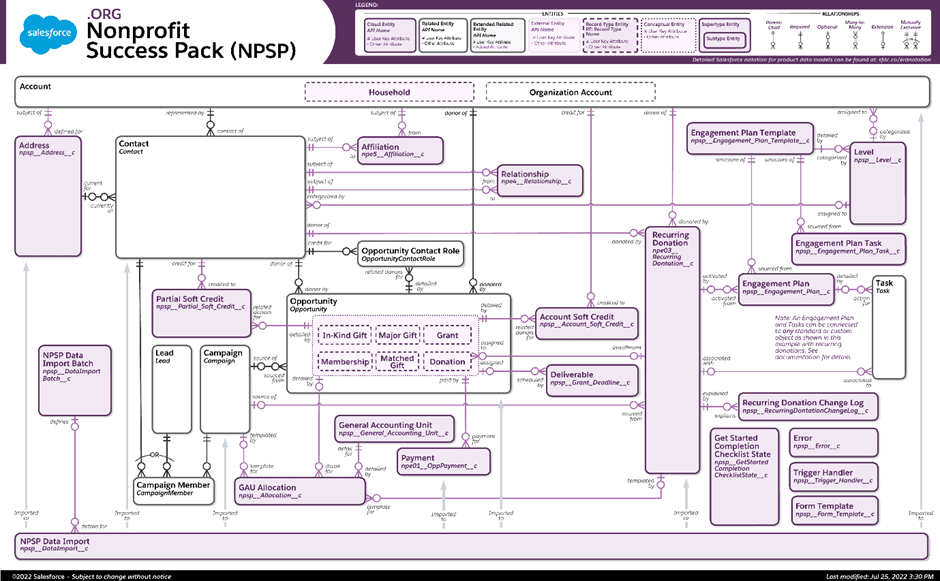
This step is the most critical one as the data models have significant differences.
Typical mapping examples:
You should define:
Before migration, ensure your data is reliable:
Tip: Clean data reduces migration errors significantly.
Set up your target system:
Focus on aligning the system with future business processes, not just replicating the old setup.
Execute migration in phases:
Use tools like Data Loader or ETL solutions depending on complexity.
Testing ensures system reliability:
Important: Compare reports between NPSP and Nonprofit Cloud to ensure consistency.
Problem: No direct 1:1 mapping
Solution: Invest time in detailed data mapping and workshops
Problem: Duplicate or incomplete records
Solution: Perform thorough data cleansing before migration
Problem: Existing Apex/Flows may not work
Solution: Redesign using modern Salesforce best practices
Problem: External systems stop working
Solution: Rebuild and test integrations early in sandbox
Problem: Teams struggle to adapt
Solution: Provide hands-on training and demos
Understanding the difference between Salesforce NPSP and Nonprofit Cloud is important before starting your migration.
These differences make NPSP to Nonprofit Cloud migration a strategic decision for long-term growth.
A strong salesforce data migration strategy is critical to ensure data accuracy and integrity during the transition. Nonprofits must carefully map their existing NPSP data to the new Nonprofit Cloud data model while preserving relationships between records.
This process includes identifying key data fields, defining transformation logic, and implementing validation checks. A structured migration strategy minimizes data loss, reduces errors, and ensures consistency across the new system.
Data security is a critical aspect of any Salesforce nonprofit migration. Organizations must ensure that sensitive donor and program data is protected throughout the migration process.
This includes implementing proper access controls, encryption, and compliance with regulations such as GDPR or other regional data protection laws. A secure migration approach builds trust and safeguards organizational data.
User adoption is one of the most important factors in the success of NPSP to Nonprofit Cloud migration. Even the most well-executed technical migration can fail if users are not properly trained.
Organizations should provide hands-on training sessions, user guides, and ongoing support to help teams adapt to the new system. Effective change management strategies ensure that users are comfortable and confident with Nonprofit Cloud.
Many organizations encounter avoidable issues during migration due to poor planning or execution.
Avoiding these common mistakes can significantly improve the success rate of your Salesforce nonprofit migration.
Nonprofit Cloud offers several advantages for organizations aiming for growth and scalability.
These benefits make Nonprofit Cloud a powerful platform for nonprofits looking to scale their operations and improve impact.
The future of Salesforce Nonprofit Cloud is focused on innovation, scalability, and AI-driven insights. As Salesforce continues to invest in industry-specific solutions, Nonprofit Cloud is expected to become the central platform for nonprofit organizations.
With continuous updates, improved automation, and deeper analytics capabilities, nonprofits can expect more efficient operations and better decision-making tools in the coming years.
Organizations should consider migration when:
Evaluating these factors helps determine the right time to start your NPSP to Nonprofit Cloud migration journey.
Leaving Nonprofit Success Pack (NPSP) and moving to Nonprofit Cloud is not a simple system upgrade change, but a change to a more scalable, flexible, and future-friendly platform. This transition requires the presence of several important factors such as excellent planning, maintaining reliable and clean data, thorough testing at each level, and proper user adoption. Once these factors are properly addressed, companies can reach the potential of Nonprofit Cloud to the fullest and build a more robust and flexible base to develop in the long term.
NPSP to Nonprofit Cloud migration is the process of transitioning from Salesforce Nonprofit Success Pack (NPSP) to the modern Nonprofit Cloud platform. Organizations with complex programs, growing data needs, or requiring advanced reporting and automation should consider this migration to improve scalability and long-term efficiency.
Based on real-world Salesforce nonprofit migration projects, organizations often face challenges such as data inconsistencies, complex data model differences, broken customizations, and integration issues. Proper planning, sandbox testing, and data cleansing significantly reduce these risks.
To ensure data accuracy, teams should perform detailed data mapping, apply deduplication rules, validate record counts, and run parallel reports between NPSP and Nonprofit Cloud. Using structured testing phases like UAT ensures reliable migration outcomes.
The NPSP data model is based on Contacts, Accounts, and Opportunities, while the Nonprofit Cloud data model introduces Party, Gift Transactions, and Program Management. This modern architecture enables better scalability, flexibility, and program tracking.
The timeline for NPSP to Nonprofit Cloud migration varies depending on data volume, customizations, and integrations. Small implementations may take a few weeks, while complex enterprise migrations can take several months.
Nonprofit Cloud offers a scalable data model, improved automation using Salesforce Flow, enhanced reporting, native program and case management, and AI-driven insights, making it a future-ready solution for nonprofits.
Best practices include starting with a pilot migration, using sandbox environments, prioritizing data quality, documenting mappings, involving stakeholders early, and avoiding unnecessary customizations.
Not always. Many integrations need to be reviewed, updated, or rebuilt to align with the new Nonprofit Cloud data model. Testing integrations early in a sandbox environment is critical for success.
Get Started
Share a few details about your goals: a Mirketa consultant will follow up within one business day.
 Certified Partner
 SOC 2 Certified
 HIPAA Ready
 Enterprise Ready